Master the Perfect ChatGPT Prompt for Image Editing: A Professional Guide

In the fast-paced digital landscape of 2026, simply asking an AI to "make this look better" is no longer enough. To stand out, creators and marketers are now utilizing a specific formulaic chat gpt prompt for image editing that treats the AI like a professional photographer and editor rolled into one.
The secret lies in the transition from descriptive language to instructional commands. When you master this syntax, you gain the power to overhaul brand identities, fix lighting, or modify specific elements within a frame without losing the original's integrity.
The Architecture of a High-Converting Image Prompt
A professional-grade chat gpt prompt for image editing should always include three pillars: the Reference, the Modification, and the Technical Style. Without these, the AI is essentially guessing your intent.
For instance, if you are looking to
Refining Backgrounds and Subjects
One of the most common uses for a chat gpt prompt for image editing is changing the environment of a product or portrait. However, AI can sometimes struggle with the "cleanliness" of edges.
While a prompt can describe a new setting, using an
Optimizing for E-Commerce and Social Media
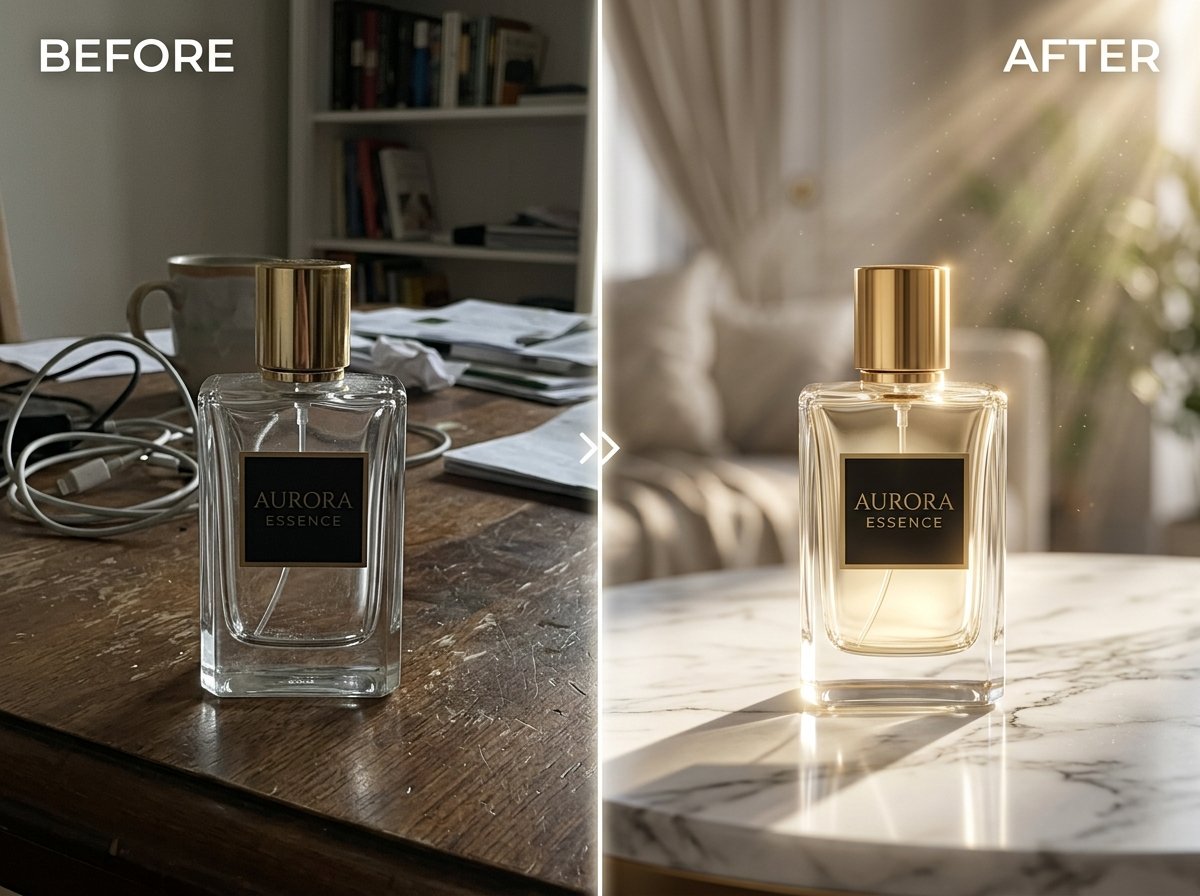
For those in the retail space, the right chat gpt prompt for image editing can save hours of manual labor. Instead of hiring a studio, you can prompt the AI to "apply professional studio lighting and a soft drop shadow" to a raw mobile photo.
If the AI's native shadow generation feels a bit off, you can manually intervene by learning
Scannable Prompt Template for Success
To get the best results today, try this structured format:
The Command: "Modify the uploaded image..."
The Subject: "...of the blue glass bottle..."
The Change: "...by replacing the wooden table with a sleek marble countertop."
The Environment: "Ensure the lighting is cinematic and matches the
best image sizes for Instagram, YouTube, and LinkedIn in 2026
Why This Matters
The democratization of design means that high-quality visuals are no longer gated by expensive software licenses. Mastering the chat gpt prompt for image editing allows small business owners and solo creators to compete with global brands.
By using the right words, you reduce the need for multiple revisions and ensure that every asset—from a social media post to a
Quick Tips for Precision Editing
Use Negatives: Explicitly state what you don't want, such as "no text" or "no blurry foreground."
Specific Lighting: Instead of "bright," use "natural sunlight through a window" or "softbox studio lighting."
Dimension Awareness: Tell the AI the aspect ratio early in the prompt to avoid awkward cropping.
Cleanup First: If a photo is too busy, it’s often easier to
how to remove unwanted people from your vacation photos instantly
Related Guides & Articles
- GTA 6 Launch Guide Reveals the Settings PS5 and Xbox Players Should Change First
- 10 Free Online Puzzle Games You Can Play Directly in Your Browser
- Best Free Brain Games to Play Online Without Downloading
- Photo Editing Quiz: Test Your Knowledge of Image Editing Basics
- Why Some Small Brands Are Getting More Attention Than Big Companies
- AI Agents Are Getting Smarter: What Can They Actually Do in 2026?
