Image Editing Puzzles: Can You Solve These Visual Challenges?
The Rise of Image Editing Puzzles in Digital Design
Ever looked at a photo and felt something was slightly off, but could not pinpoint what? That instant reaction is where visual editing puzzles begin. Visual challenges test how well you notice light, perspective, edge boundaries, and pixel compression artifacts.
Every professional designer or marketer trains their eyes by solving these mini visual riddles daily. Detecting a harsh cutout edge or an unnatural color cast takes practice. When you build this skill, your visual content stands out immediately across online platforms.
Ready to test your visual intellect? Dive into our visual playground with interactive visual games to warm up your focus. Let us explore how dissecting photo challenges sharpens your digital editing toolkit.
Why Visual Inspection Matters for Modern Content Creators
Human eyes process images in fractions of a second. A single bad cutout or inconsistent shadow breaks trust instantly. Whether you run a store or publish articles, clean visuals reflect professional quality.
Solving editing puzzles helps you spot faint halos around subject edges. You learn to recognize dirty backgrounds that ruin clean product pages. Over time, visual auditing becomes second nature for every graphic asset you publish.
How AI Tools Change How We Analyze Digital Photos
Smart tools do not replace keen visual perception. They amplify what your eyes detect by processing complex calculations instantly. Machine learning models analyze millions of edge pixels to separate foreground subjects from busy backgrounds.
When you spot a tough editing challenge, automated algorithms step in to handle repetitive work. Using a reliable AI background remover allows you to isolate tricky subjects like frizzy hair without tedious manual selection brush strokes.
Challenge 1: The Frizzy Hair and Fine Detail Cutout Riddle
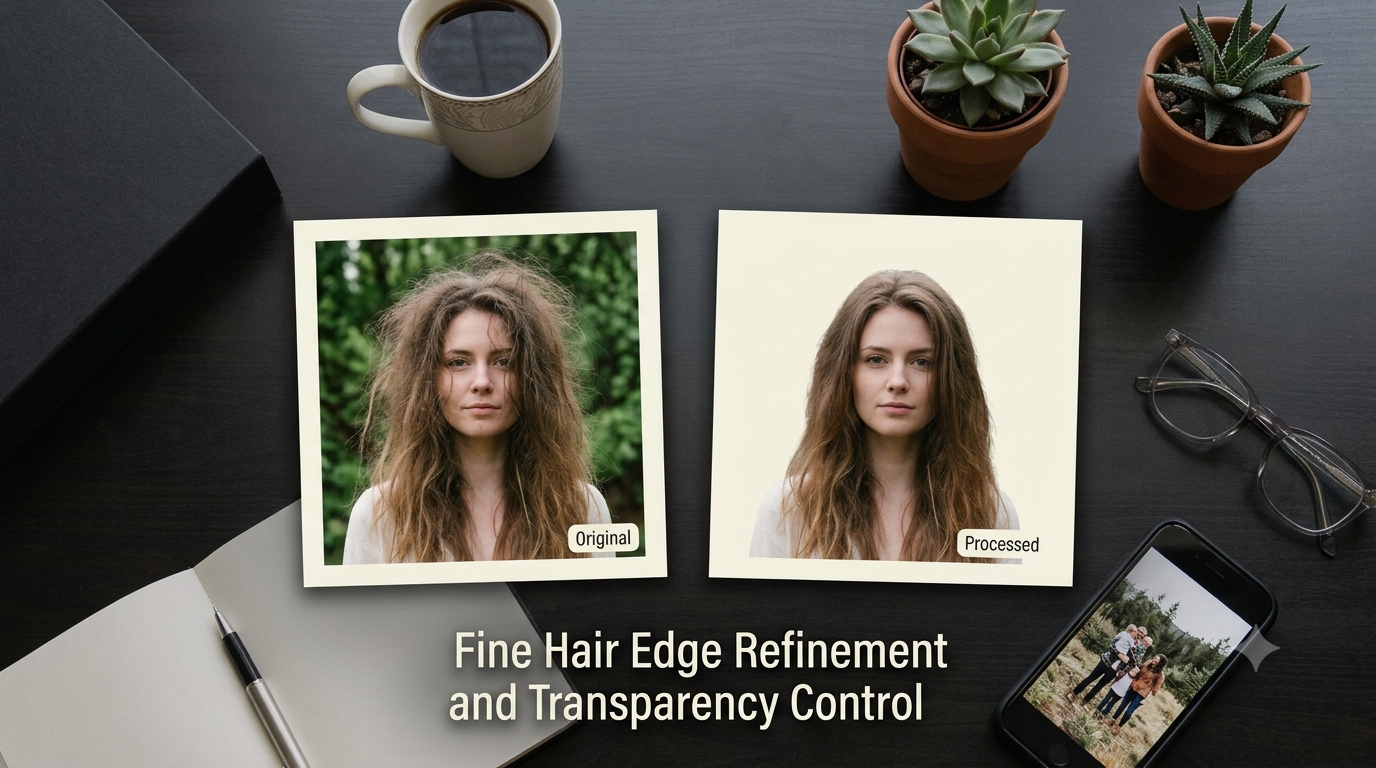
Hair is the ultimate test for photo editing enthusiasts. Loose strands, flyaways, and translucent highlights make background removal notorious for leaving ugly jagged borders or grey halo artifacts.
Imagine a portrait taken against a bright forest background. Your goal is to extract the subject perfectly while maintaining individual hair strands without keeping any green foliage bleeding through.
The Technical Problem Behind Hair Edge Refinement
Standard selection wands fail when background light bleeds directly into fine hair strands. This phenomenon, called color contamination, leaves unwanted tinting around subject outlines. If you cut too deep, the subject looks unnaturally scalp-cropped and artificial.
Manual mask painting takes hours of tedious manual brushwork. You often end up with a smooth, plastic-looking helmet hair outline instead of soft natural strands. That ruins high-resolution portrait quality instantly.
Solving the Hair Cutout Puzzle with Edge Refinement
Modern edge refiner algorithms evaluate transparency level alongside color contrast values. They calculate alpha channels to preserve individual hair lightness while neutralizing background color spill.
Using an automated PNG background remover handles delicate alpha matting cleanly. This gives you an accurate transparent PNG creator workflow that keeps fine details crisp and hyper-realistic.
Challenge 2: The E-Commerce Lighting and Color Consistency Puzzle
Picture an e-commerce store displaying five color variations of a single cotton shirt. Each photo was taken on different days with slightly shifting studio lighting setups. The red shirt looks vibrant, but the blue shirt looks muddy and under-exposed.
This puzzle tests your ability to maintain absolute visual consistency across an entire product line. Inconsistent product galleries cause customer confusion and raise product return rates significantly.
Why Color Casts Destroy E-Commerce Conversion Rates
Mismatched white balances make high-end apparel look cheap or fake online. Shoppers expect exact color representation before hitting the buy button. A slight shift in yellow hue can make white items look aged or dirty.
Fixing color mismatches shot-by-shot with basic sliders takes hours of endless micro-adjustments. You need a systematized approach to neutralize ambient lighting casts uniform across all product photos.
Standardizing Product Imagery with Recoloring Tools
Instead of re-shooting entire product catalog setups, smart creators leverage intelligent color manipulation workflows. You can swap colors while keeping fabric textures, highlights, and shadows untouched.
With a specialized recolor cloth tool, you can match exact hex values across garment batches effortlessly. This maintains perfect brand visual harmony while cutting commercial photo shoot costs drastically.
Challenge 3: The Distracting Background Removal Mystery
Look closely at a busy street portrait. The subject looks fantastic, but there is a bright red trash can right behind their shoulder. A passerby is half-visible in the corner frame, pulling focus away from the main subject.
Your challenge is to transform this crowded snapshot into a sleek, professional headshot without making the final photo look heavily edited or fake.
Understanding Visual Clutter and Depth of Field
Background clutter forces viewer eyes to wander aimlessly across your image frame. Our brains naturally track bright colors and high-contrast shapes, even when they sit in background corners.
Creating clear focal hierarchy requires isolating the main subject entirely. Once separated, you can apply a gentle portrait blur or replace dirty environments with clean studio tones.
Step-by-Step Guide to Isolate Subjects from Noisy Scenes
Follow these quick steps to clear out unwanted background elements cleanly:
- Upload your original noisy photo into an online background eraser tool.
- Allow auto background remover algorithms to identify subject boundaries cleanly.
- Extract the subject and generate a crisp image cutout tool layer without edge artifacts.
- Place your subject onto a clean solid background maker palette or soft gradient backdrop.
This simple process turns chaotic everyday photos into polished commercial assets in seconds.
Challenge 4: The Blurred Product Photo and Resolution Crisis
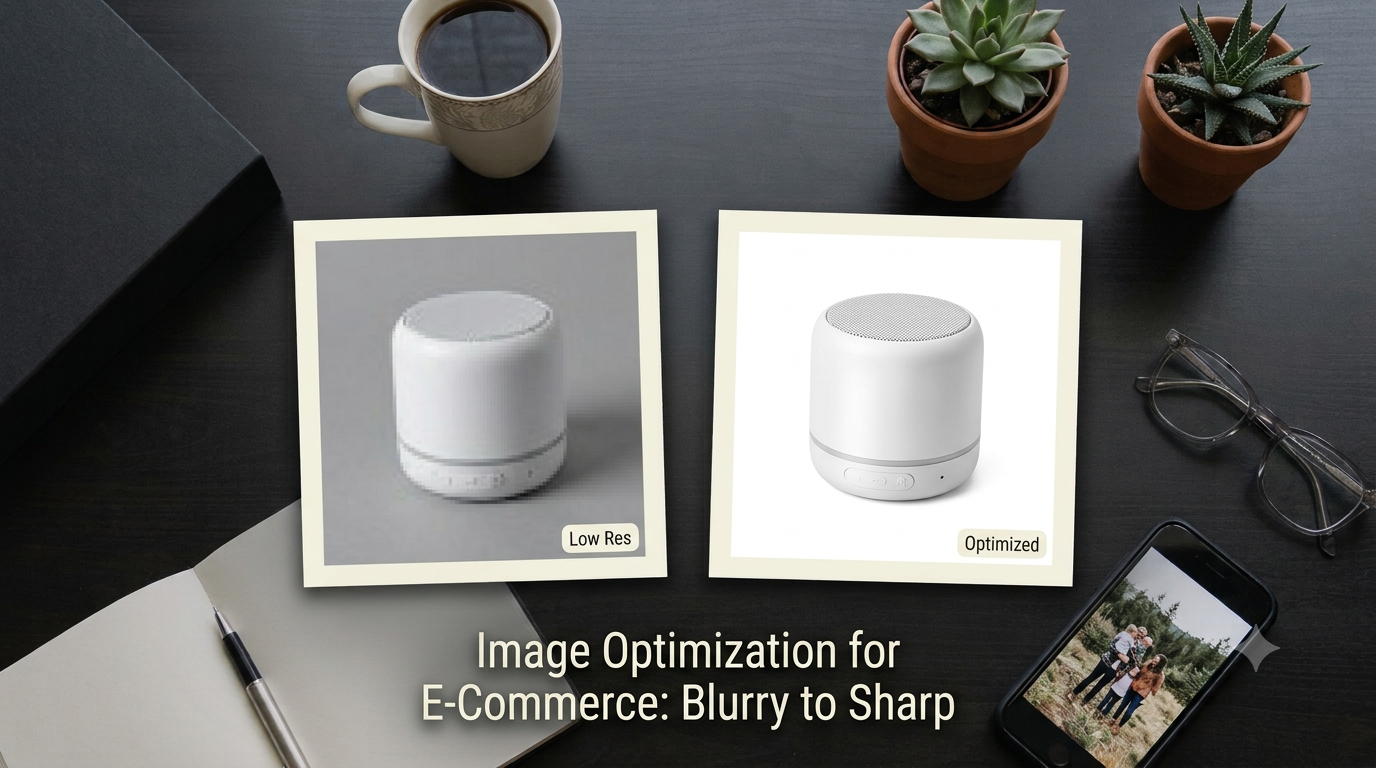
An online vendor sends you a tiny 300-pixel product image captured on an old phone. They want to upload it to Amazon, but the platform rejects it for failing strict marketplace pixel dimensions and quality benchmarks.
This puzzle forces you to balance compression speed, image sharpness, file sizes, and strict resolution boundaries without introducing ugly blocky pixel artifacts.
Why Raw Upscaling and Naive Compression Break Visuals
Simply stretching small photos creates blurry edges and jagged diagonal lines. On the flip side, over-compressing high-resolution images introduces nasty JPEG compression artifacts and fuzzy pixel clusters around text labels.
Marketplaces require sharp focus while enforcing low file weight limits for fast page loading. Balancing high visual quality against tiny storage footprints requires smart optimization algorithms.
Mastering Optimization for E-Commerce and Marketplaces
Solving this dilemma means pairing intelligent scaling with lossy-less compression techniques. You shrink storage size while preserving critical product sharpness and crisp edges.
Start by using a dedicated image resizer to match target pixel ratios. Follow up with an auto compress tool to drop kilobytes without sacrificing noticeable visual fidelity. For complete storefront assets, run photos through our product studio to meet strict seller requirements effortlessly.
Challenge 5: The Document Optimization and Format Confusion Puzzle
Imagine receiving a crooked camera snap of a signed contract saved inside a heavy PNG file. The background looks grey, text is dim, and the file size is too big to send via email attachments.
Your task is to transform this dark document snapshot into a crisp, flat PDF with stark black text, pure white background paper, and clear signatures.
The Problem with Uncompressed Document Scans
Standard phone cameras capture shadows, uneven desk lighting, and surface paper wrinkles. These elements ruin professional document presentation and bloat digital file sizes unnecessarily.
Converting heavy images into optimized formats keeps archives readable and light. Clean document contrast ensures text recognition systems and human eyes read details easily.
Streamlining Workflows with Smart Document Utilities
Modern document preparation relies on specialized automation tools designed for high contrast and fast rendering speed.
You can turn messy document images into pristine paperwork using our smart doc assistant. Need to sign contracts digitally without printing physical paper? Use a dedicated signature maker to generate transparent digital signatures in seconds. Convert raw files seamlessly using a flexible format converter to ensure cross-platform delivery.
Challenge 6: The Creative Composition and Collage Alignment Puzzle
How do you combine four wildly different mood board photos—each taken with distinct lighting, color schemes, and aspect ratios—into one cohesive social media graphic?
This layout riddle tests your compositional balance. If you align photos carelessly, the resulting design feels chaotic, crowded, and amateurish to viewers.
Visual Hierarchy and Color Harmony in Layout Design
Creating striking multi-image graphics requires structure. Spacing must remain perfectly consistent across borders, while dominant colors should balance each other naturally across the composition canvas.
When individual photos clash in tone, applying uniform filters or subtle backdrop adjustments binds the overall piece together beautifully.
Assembling Balanced Multi-Image Graphics Fast
Instead of manually aligning individual image layers on endless canvas grids, automated assembly simplifies layout workflows dramatically.
Combine your favorite product shots, portfolio pieces, or promotional visuals using an intuitive collage maker. You can arrange assets cleanly, balance spacing, and export high-resolution layouts optimized for social publishing instantly.
Common Image Editing Mistakes and How to Avoid Them
Even seasoned visual creators drop the ball when working under tight publication deadlines. Avoid these common visual errors to keep your design quality consistently high:
- Over-sharpening photos: Adding too much clarity introduces ugly white halo fringes around edges.
- Ignoring aspect ratios: Stretching images without maintaining original proportions distorts subjects awkwardly.
- Harsh background cutouts: Forgetting edge refiner steps leaves telltale background fringe borders around subjects.
- Extreme saturation boosts: Over-saturating skin tones turns natural skin tones into unnatural orange hues.
- Overlooking background noise: Leaving messy backgrounds intact distracts viewers away from primary product details.
By keeping these traps top of mind, your visual work retains a refined, professional edge across every channel.
Best Practices for Solving Visual Challenges Quickly
Mastering image editing puzzles requires a structured approach to every photo asset you process. Follow these industry-tested guidelines:
- Inspect images at 100% zoom scale to spot hidden compression artifacts and rough edge selections.
- Batch process repetitive tasks like batch background removal to save precious editing hours.
- Keep original raw images untouched on backup layers before applying destructive filters.
- Match output image formats to their intended destinations—PNGs for transparent graphics, WEBP/JPEG for fast web loading.
- Rely on AI speed for heavy lifting, but use your visual judgment for final polish.
Want to sharpen your real-world editing instincts even further? You can practice these skills with our free interactive modules to elevate your visual editing confidence fast.
Frequently Asked Questions (FAQ)
What are image editing puzzles?
Image editing puzzles are visual challenges that test your ability to spot technical flaws like bad edge cutouts, color mismatches, poor lighting balance, compression artifacts, and background clutter within digital photos.
How can an AI background remover solve complex hair cutout challenges?
An AI background remover uses machine learning models trained on millions of subject outlines. It evaluates individual strand transparency and neutralizes color spill, delivering clean hair edge refinement without manual brushwork.
Why should I use transparent PNG files instead of JPEGs for product listings?
Transparent PNG files allow you to place product cutouts onto any background color or studio backdrop seamlessly, eliminating harsh white rectangular borders and improving overall design flexibility.
How do I reduce image file size without losing visual quality?
You can reduce file size by using smart lossy-less compression tools. These utilities strip unnecessary metadata and optimize color data without degrading visible resolution or introducing pixelation artifacts.
Can I convert physical paper documents into clean digital files online?
Yes, document optimization tools allow you to flatten perspective distortions, boost text contrast, remove background shadows, and convert camera snapshots into clean, readable PDF documents quickly.
What is the easiest way to manage batch image editing workflows?
Using cloud-based AI tools like MakeMyVisuals lets you automate repetitive tasks—such as batch background removal, resizing, format conversion, and watermarking—in a single streamlined web interface.
Level Up Your Visual Content with MakeMyVisuals
Solving visual challenges does not have to be a slow, manual grind. Whether you need to remove white background clutter, re-color garments, build professional collages, or compress heavy photo galleries, having the right AI tools in your workflow changes everything. MakeMyVisuals gives creators, e-commerce sellers, and marketers a complete suite of browser-based utilities to create pixel-perfect graphics effortlessly. Explore our tools today and transform how you work with digital visuals!
Related Guides & Articles
- From Beginner to Pro: Improve Your Visual Skills Through Interactive Games
- Test Your Creative Skills With Free Browser-Based Design Games
- Can You Spot the Difference? Fun Visual Challenges to Try Online
- 7 Mini-Games That Test Your Image Editing and Design Skills
- Apple Reveals Redesigned iPad Mini Featuring OLED Display and A20 Pro Chip
- How to Create Luxury Product Photos Using AI