Microsoft Integrates Native Background Removal Into Windows 11 Apps

Microsoft Finally Gets Useful
Microsoft just stuffed AI background removal into Windows 11, dragging Paint and Photos into this century. You don't need bloated, expensive design software for basic edits anymore. It's about time they stopped ignoring the obvious.
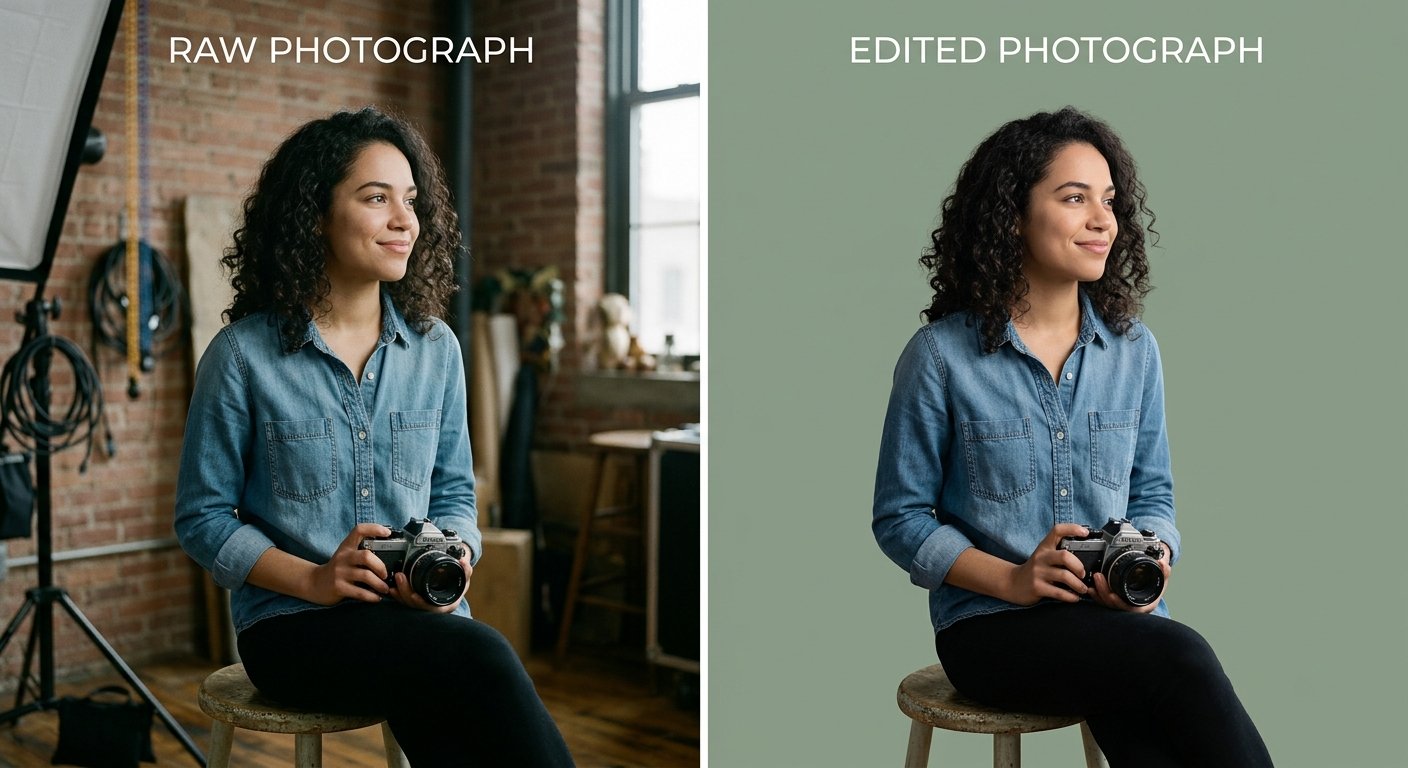
Paint’s New Party Trick
Opening an image in Paint reveals a removal button right on the toolbar. Click it, wait a heartbeat, and watch the background vanish. Just don't save as a JPG if you want transparency; stick to PNG or you're wasting your time. Need better format conversion? Keep your file specs tight.
Struggling with specific zones? Use the Rectangle tool to isolate the mess you want gone. Avoid the Free-form tool, though, because it breaks the AI logic entirely. Glitchy tech.
Amateurs Win, Pros Wait
For the rest of us, this saves hours of headache. Cleaning up ecommerce images or headshots for free is a win. But pros know that real work requires portrait recoloring and edge work that a built-in app just can't touch.
Don't Rely on the Basics
Scaling up your production? Forget the native tools. You’ll eventually need auto compression and proper resizing to keep your site from crawling. When you’re dealing with messy hair edges or complex shots, find a real transparent background maker that actually works.
The Reality Check
Paint won't handle your batch jobs, so keep your fingers ready for manual clicking. Want professional doc photos? Don't hack it with Paint; use a real document tool to avoid rejection. If your background is still white, you messed up the file format.
Microsoft provided a decent toy for the weekend hobbyist. But for real speed and polish, stop settling for baseline features. Head over to MakeMyVisuals and use tools that actually pull their weight.
Related Guides & Articles
- 10 Free Online Puzzle Games You Can Play Directly in Your Browser
- Best Free Brain Games to Play Online Without Downloading
- Photo Editing Quiz: Test Your Knowledge of Image Editing Basics
- Why Some Small Brands Are Getting More Attention Than Big Companies
- AI Agents Are Getting Smarter: What Can They Actually Do in 2026?
- How to Make an Image Sharper Without Creating Unnatural Edges
