How to Prepare Product Images for Google Shopping

Why Image Quality Makes or Breaks Your Google Shopping Feed
Google Shopping is the digital storefront for every business. When a customer searches for your stuff, that image is the first thing they see. If your photos are pixelated or messy, you’ve lost the click before they even check the price.
Following technical specs isn't a suggestion; it's a requirement. Ignoring dimensions or file formats lands you with disapproved items and wasted cash. Keep your catalog sharp.
Start by standardizing your file types. Using a format converter ensures you meet Google’s demands without ruining the shot. Heavy, unoptimized images cause slow page loads, and nobody has the patience for a laggy site.
Mastering the Product Background
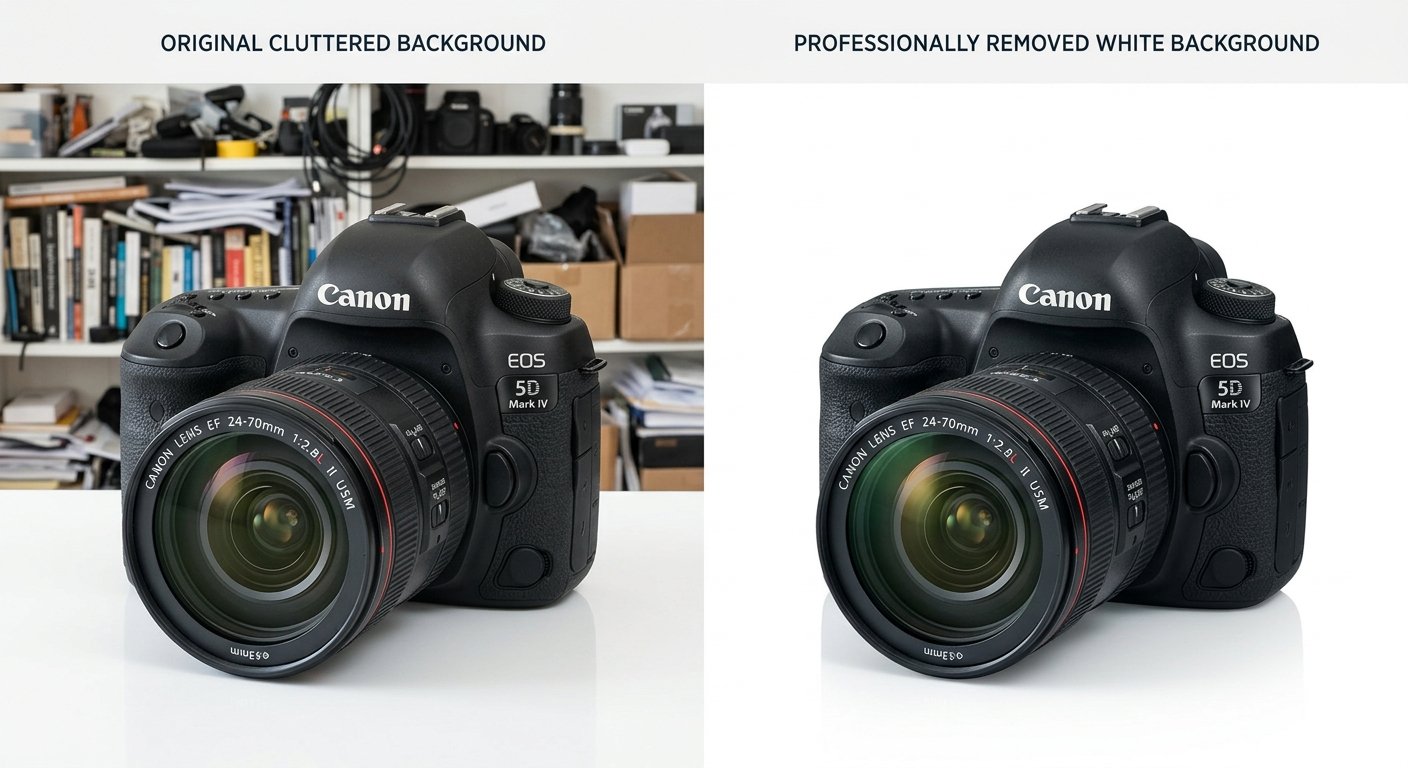
Google hates clutter. Distracting backgrounds get your products flagged faster than you can blink. Use a background remover to get that clean, studio-lit look instantly.
Don't stop at just clearing the junk. Top-tier sellers use a product studio to keep lighting and shadows consistent. It builds trust. An AI background remover creates the perfect, sterile backdrop for your creative work.
The Critical Role of Image Sizing
Uniformity is the only way to look legit. If your aspect ratios are all over the place, your feed looks like a dumpster fire. Fix it with an image resizer to signal to Google that you actually know what you're doing.

Speed is everything. Your images must be high-res enough to show detail but compressed enough to fly on mobile. Stripping metadata with an auto-compress tool is the easiest way to keep your site fast.
Common Mistakes to Avoid
Ditch the logos and watermarks, as Google will reject them immediately. Make sure your product fills at least 75% of the frame to avoid looking tiny on mobile screens. Keep resolution at 800x800 minimum, and use recolor tools if your filter makes the product look like a different item entirely.
How to Optimize for Mobile Shoppers
Most of your buyers are glued to their phones. If they have to pinch and zoom just to see the product, they’re scrolling past you. Simple, centered images win.
Automate the boring stuff if you're handling massive batches of inventory. Whether you’re fixing backgrounds or compressing files, MakeMyVisuals handles the heavy lifting so you don't have to.
Frequently Asked Questions
Can I use watermarks on my Google Shopping images?
Hard no. Google nukes images with logos, watermarks, or promotional text. Stick to the raw product.
What is the ideal aspect ratio for Google Shopping?
Square is the safest bet for consistency. Whatever you choose, just keep the entire catalog identical.
How do I handle batch image processing?
Stop doing it by hand. Use ecommerce tools to process hundreds of files in one go.
Ready to get noticed? Stop wasting time on manual edits and scale your workflow. Check out our AI-powered tools at MakeMyVisuals and see what happens.
Related Guides & Articles
- GTA 6 Launch Guide Reveals the Settings PS5 and Xbox Players Should Change First
- 10 Free Online Puzzle Games You Can Play Directly in Your Browser
- Best Free Brain Games to Play Online Without Downloading
- Photo Editing Quiz: Test Your Knowledge of Image Editing Basics
- Why Some Small Brands Are Getting More Attention Than Big Companies
- AI Agents Are Getting Smarter: What Can They Actually Do in 2026?
