Best Background Remover Tools That Preserve Image Quality: 2026 Comparison

We have all been there. You find the perfect product shot or team portrait, run it through an auto background remover, and look at the result. The background is gone, sure, but so is the crispness of your subject. The edges look jagged, stray hairs are completely chopped off, and the overall resolution looks like it was shot on a flip phone from 2005.
It is incredibly frustrating. Most automated tools compress your file or mess up the fine details to save on server processing power. But in 2026, you do not have to compromise between speed and high-definition clarity. If you need a transparent background maker that actually protects your pixels, you have options. Let's break down the best tools available right now and look at how they handle complex edges.
Why Most Background Erasers Ruin Quality
When you remove background online, a lot happens under the hood. Traditional software relies on simple color contrast to guess where an object ends. If your subject wears a white shirt against a light gray wall, the software gets confused. It eats into the subject, leaving a pixelated mess.
Modern platforms use deep learning to map out subjects. But even then, two major issues frequently destroy your final output:
Aggressive File Compression: Many free platforms downscale your ultra-HD image to a low-resolution thumbnail unless you pay for a premium subscription.
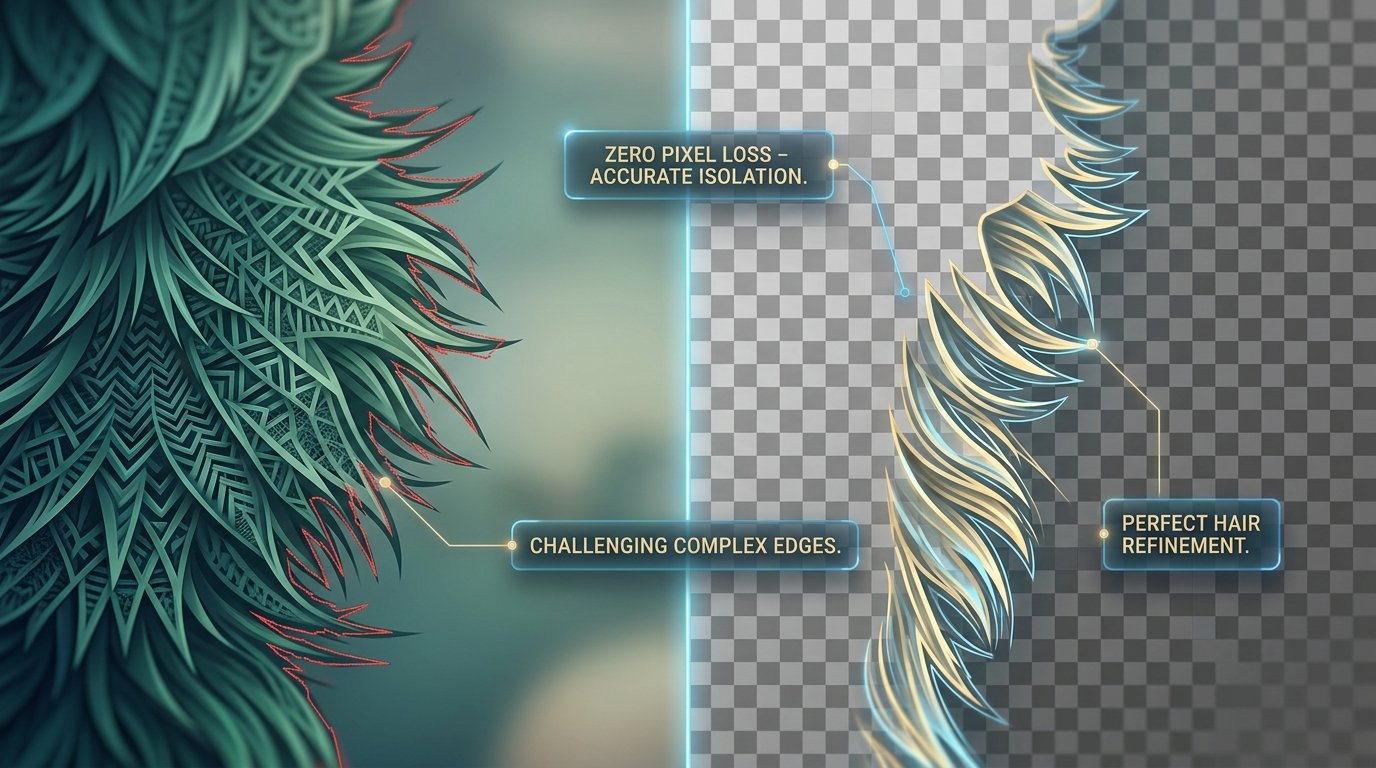
Poor Edge Refinement: Stripping away a backdrop without specialized hair edge refinement results in a harsh, artificial "sticker" look.
To keep your images looking professional, you need an image cutout tool that honors the original dimensions and color profiles of your file.
The Best Quality-Preserving Tools Compared
1. MakeMyVisuals Background Remover
If you want a fast, no-nonsense tool that treats your resolution with respect, the
Unlike platforms that force heavy compression, this tool acts as a true HD background remover. It isolates your subject while keeping the original pixel density intact. It functions beautifully as a transparent PNG creator for web designers and online sellers who cannot afford blurry listings. If your final output needs precise dimensional adjustments after the backdrop is gone, you can jump straight into their
2. Adobe Express
Adobe remains a powerhouse for a reason. Their browser-based eraser offers solid background maker options and clean extractions. The edge detection is highly accurate, especially for distinct subjects like cars or electronics.
But there is a catch. The workflow can feel heavy if you just want a quick edit. It frequently pushes you toward their paid Creative Cloud ecosystem to unlock maximum export resolutions.
3. PhotoRoom
PhotoRoom is highly popular among mobile sellers. It works well as an online background eraser and offers built-in templates to position your product after the cut.
The tool excels at batch background removal, which saves hours of manual labor. However, the free version heavily watermarks your images and limits high-resolution exports, forcing serious creators onto a monthly billing cycle.
How to Remove a Backdrop Without Losing Crispness
Achieving a flawless cut involves a combination of the right software and proper preparation. Follow these steps for the cleanest results.
Step 1: Start with Great Lighting
An AI background remover thrives on contrast. Ensure your subject is well-lit and separated from the backdrop. Avoid busy, cluttered backgrounds whenever possible.
Step 2: Upload the Highest Resolution Available
Never use a compressed screenshot. Always upload the original, raw file. If your source file is too massive for standard upload limits, use an
Step 3: Use the Edge Refiner
Run the auto-extraction. If the software offers a manual brush or an edge refiner, use it to clean up complex zones around clothing textures or hair.
Step 4: Export as a PNG
Always save your final asset as a PNG. This format supports transparency without adding the blocky artifacting common to JPEG files.
Common Pitfalls to Avoid
Many creators accidentally ruin their graphics during the editing phase. Watch out for these frequent slip-ups:
Removing White Backgrounds Too Aggressively: When you try to remove white background elements from a light product, cheap software often erases the highlights on the product itself, making it look translucent.
Ignoring the Lighting Match: If your original photo was taken in warm, golden light, placing it on a clinical, bright blue backdrop looks fake. Use a photo background editor to match the color temperature.
Over-smoothing the Edges: Relying too much on a generic blur tool can erase natural textures, making your subject look like a plastic cartoon.
Best Practices for Ecommerce and Business
For digital store owners, clean imagery directly impacts conversion rates. A messy cutout signals a lack of professionalism to your shoppers. After using a PNG background remover, consider utilizing a dedicated
If you manage a business that deals with heavy documentation, keeping assets clean is just as vital. Corporate ID creation and presentation design require precise cutouts. You can pair your clean graphics with a
Frequently Asked Questions
Will a free background remover reduce my image resolution?
Yes, many free tools cap your exports at low resolutions like 500x500 pixels. To keep your original quality, choose a dedicated image background remover that supports high-definition output.
How do I make a background transparent without Photoshop?
You can use a specialized remove photo background web tool. These platforms use AI to isolate the subject instantly, giving you a transparent asset in seconds right inside your browser.
What is the best format for saving cutouts?
PNG is the gold standard. JPEGs do not support transparency and will automatically apply a solid white block behind your isolated subject.
Ready to clean up your visual assets without sacrificing a single pixel? Stop dealing with pixelated edges and low-res exports. Head over to the MakeMyVisuals Background Remover right now to get flawless, high-definition cutouts completely free.
Related Guides & Articles
- 10 Free Online Puzzle Games You Can Play Directly in Your Browser
- Best Free Brain Games to Play Online Without Downloading
- Photo Editing Quiz: Test Your Knowledge of Image Editing Basics
- Why Some Small Brands Are Getting More Attention Than Big Companies
- AI Agents Are Getting Smarter: What Can They Actually Do in 2026?
- How to Make an Image Sharper Without Creating Unnatural Edges
